The CRM Spring Clean: How to Tidy Up Without Losing the Gold
A strategic guide to transforming your CRM from a junk drawer into a relationship engine. Learn how to clean data, merge duplicates, and retain context for personalized events.
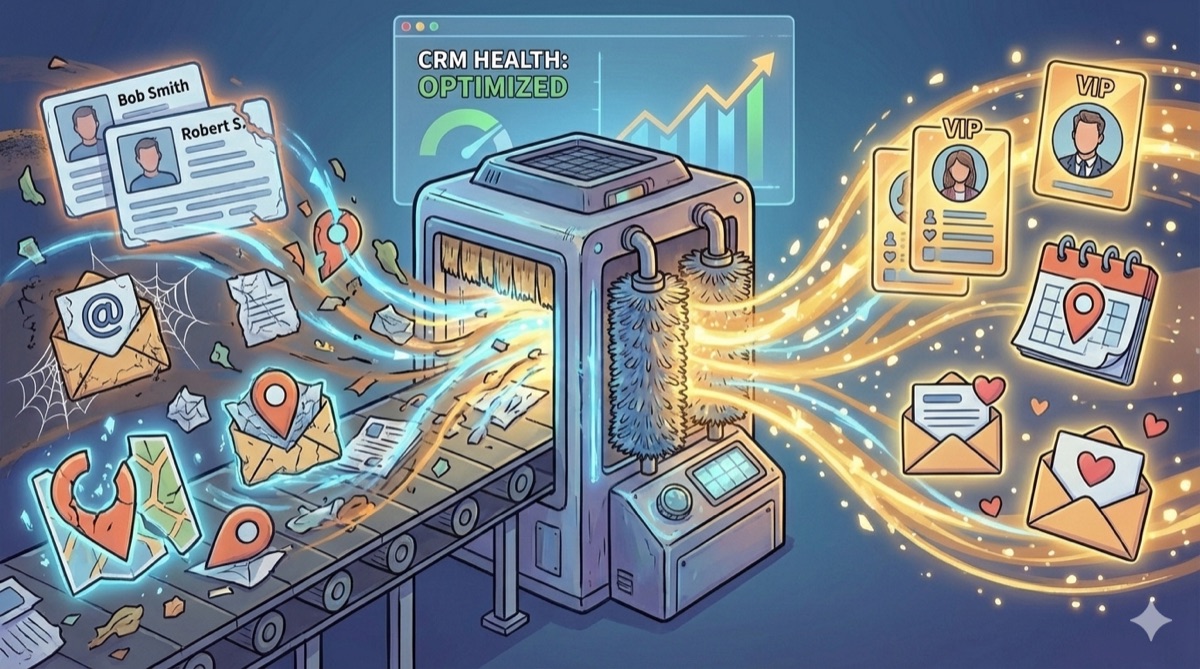
Let’s be honest. Opening your Customer Relationship Management (CRM) software sometimes feels like opening that one junk drawer in your kitchen. You know there’s something valuable in there—a spare key, a working battery—but it’s buried under expired coupons, rubber bands, and things that don’t belong.
In business terms, your CRM is buried under duplicate contacts, outdated emails, and incomplete records. This isn’t just a clutter issue; it’s a revenue issue.
A messy CRM paralyzes your marketing. It forces you to send generic “blast” emails because you aren’t confident enough in your data to segment it. It stops you from planning great events because you don’t know where your customers are or what they actually care about.
The goal of cleaning your CRM isn’t just to have a tidy list. The goal is to transform raw data into actionable insights so you can build genuine relationships. Here is how to clean house while retaining the golden data you need for personalization.
The Shift: From Hoarding to Curation
Many businesses fear deleting anything from their CRM. “What if that person from 2018 decides to buy today?”
The secret to a powerful CRM isn’t retaining every piece of data; it’s retaining useful context. We need to shift from digital hoarding to strategic curation. We want to keep the history of the relationship without cluttering the active dashboard.
Step 1: The Safety Net (Backup and Audit)
Before you delete a single row, back up everything. Export your entire database to a CSV file and store it securely. This is your insurance policy.
Next, perform a quick audit. How many contacts have no email address? How many haven’t opened an email in two years? How many duplicates exist? Most CRMs have built-in health-check tools to give you these baseline numbers.
Step 2: Taming the Duplicates (Merge, Don’t Delete)
Duplicates are the silent killers of personalization. If you have “Robert Smith” and “Bob Smith” as two separate entries, you have a fragmented view of that customer. One record might show he attended your webinar, the other shows he bought a product. Separate, they look like lukewarm leads. Together, he’s a VIP.
The Strategy:
Use your CRM’s de-duplication tool. When you find matches, merge them rather than deleting one. Merging ensures you combine the interaction history, notes, and purchase data from both records into one master “source of truth.”
Step 3: Standardization is Key
If half your contacts list their state as “TX” and the other half as “Texas,” you cannot effectively geo-target for an event in Dallas. Inconsistent data makes segmentation impossible.
- Define Your Standards: Decide on formatting for job titles, locations, and phone numbers.
- Kill Free Text Fields: Wherever possible, replace text-entry fields with dropdown menus. If you want to track customer interests, give your sales team a multi-select checkbox list, not a blank box where they can type anything.
Step 4: The “Sunsetting” Campaign (Handling Inactive Contacts)
Holding onto 10,000 email addresses when only 2,000 people open them hurts your email deliverability rates. Gmail and Outlook see that low engagement and are more likely to send your future emails to spam.
But don’t just delete them yet. Try to win them back.
Create a segment of contacts who haven’t engaged in 12 months. Send them a specific “Are you still there?” campaign. Give them a chance to opt back in or update their preferences. If they don’t respond after 2–3 attempts, tag them as “Inactive/Archived” and stop emailing them. You retain their history, but you stop muddying your active marketing metrics.
The Payoff: Personalized Nurturing and Better Events
Once you have scrubbed the data, you don’t just have a clean list. You have a powerful engine for relationship building.
The Golden Rule of Retention: Never delete behavioral data. Even if a contact is inactive, knowing they attended three specific webinars in the past is crucial context if they ever re-engage.
1. The Personalized Email Nurture
Because you merged duplicates and standardized data fields, you can now segment confidently. Instead of sending one newsletter to everyone, you can send:
- A nurture stream specifically for CTOs in the healthcare industry (based on clean job title fields).
- Content related to “Product A” only to people who have tagged interests in that category.
Clean data lets you stop talking at your list and start talking to individuals based on what you know about them.
2. Strategic Event Planning
Want to plan a customer appreciation dinner or a regional workshop? A dirty CRM makes this impossible. A clean CRM makes it easy.
By ensuring your location data is standardized, you can instantly pull a list of every VIP customer within a 50-mile radius of Chicago. By keeping historical attendance data, you know exactly who loves live events and should receive the first round of invitations.
Summary
Cleaning your CRM is a hefty task, but it’s the foundation of modern relationship marketing. By merging duplicates and standardizing your inputs, you retain the vital context needed to treat your customers like people, not just data points. Stop hoarding data and start using it to build connections.